
The concepts behind the use cases, in the order they build.
Turn a task into a skill
Take a task you regularly ask AI to do and turn it into a reusable skill, so you don’t have to explain the same workflow every time.
- Turn a recurring task into a skill you can use again and again.
- Stop re-explaining the same instructions every time you need the work done.
- Your own working skill, saved to your project and ready to use by name or in plain language.
- About 30 minutes.
- Claude Desktop or Cursor connected to your project, with the BlueRock toolkit installed and
/bluerock:checkpassing.
What’s in a skill file
A skill is a repeatable job you teach AI once, then use again whenever you need it. Your project already includes one: meeting-recap, which turns meeting notes into a follow-up email.
A skill has three basic parts:
- 1nameWhat you call the skill. This is also how you can run it directly.
- 2descriptionWhen the skill should be used. This helps Claude recognize when your request matches the skill.
- 3instructionsHow the skill should do the job, including the format, rules, and decisions you want it to follow.
Next, you’ll run the skill you already have, see how it works, then build one of your own.
What you’ll do in Claude Code
We recommend doing the hands-on work in Claude Code, where you’ll be guided step by step.
Prefer to follow along here? Use the instructions below.
Now you’ll put this into practice. You’ll start with the meeting-recap skill already in your project, see how it works, then build and test one of your own.
Think of a task you regularly ask AI to help with, such as a recurring email, weekly update, report, or another job where you find yourself giving the same instructions again.
Don’t have one in mind? That’s okay. Session 5 will help you find one.
- 1
Start the session.
Paste this into Claude Code:
teach me Session 5
You’ll see: Claude Code loads the session and guides you from here. (You can also type
/bluerock:learn— it picks up where you left off.) - 2
Try the meeting-recap skill.
Ask for a follow-up from your last meeting, using your own words.
You’ll see: A ready-to-use follow-up email based on your meeting notes.
- 3
See how the skill works.
Open
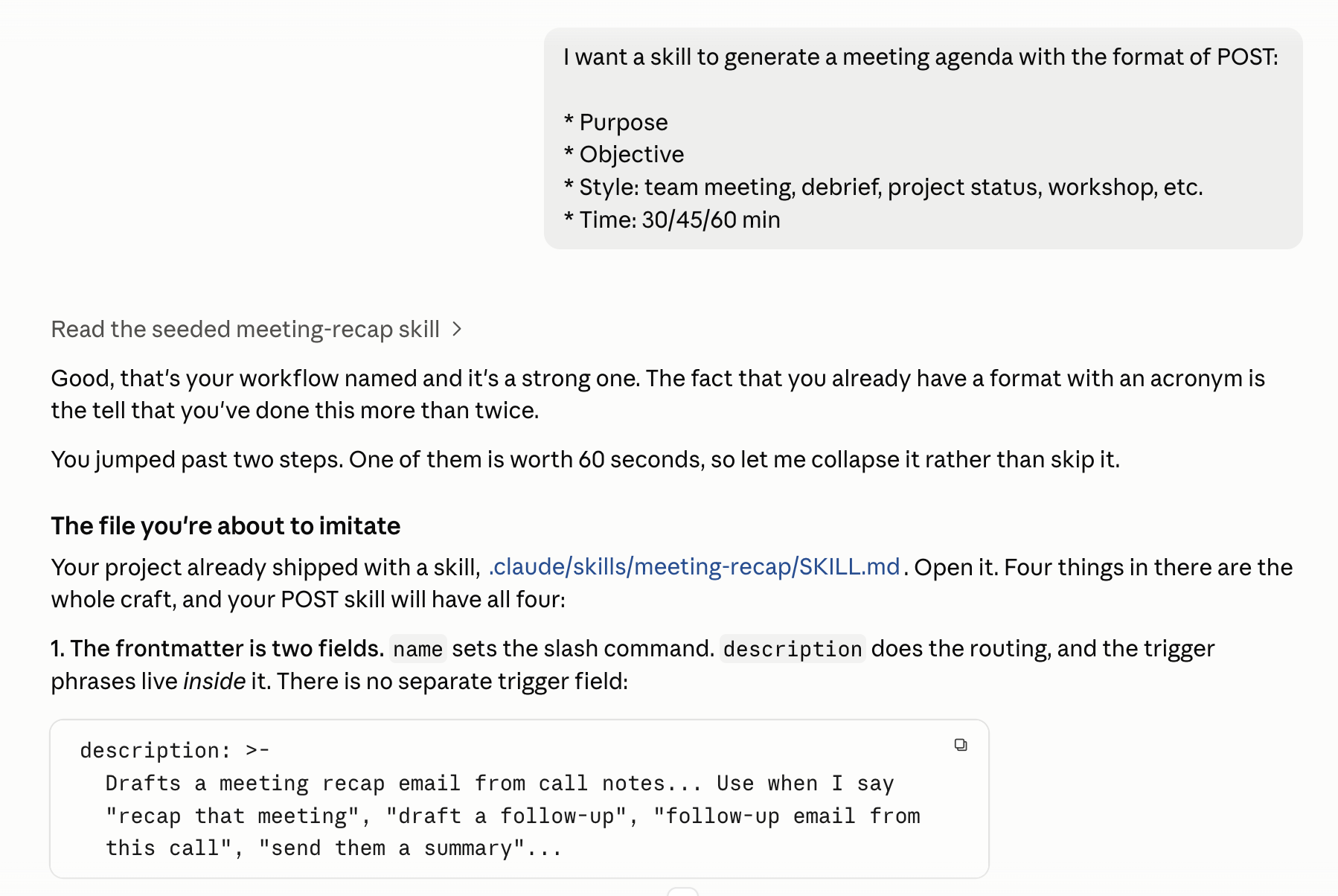
.claude/skills/meeting-recap/SKILL.md. Look for the name, description, and instructions you learned about above.You’ll see: The two frontmatter fields, the trigger phrases living inside the
description, and at the end of the inputs section: “Do not invent a meeting.” - 4
Choose a task to turn into your own skill.
Name the workflow you want, then answer the five questions Claude asks.
You’ll see: Your answers define how your skill should work.
- 5
Build your skill.
Have Claude draft it, critique it, then write the final file.
You’ll see: Your new skill saved at
.claude/skills/<name>/SKILL.md. - 6
Test your skill.
Run it by name. Then try one of its trigger phrases in a fresh chat.
You’ll see: It works both ways. The fresh chat has never heard of your skill, so the
descriptionalone is what finds it. - 7
Save a checkpoint.
Type
/bluerock:wrap-upYou’ll see: A summary of your work and a saved checkpoint. If you have not saved before, it asks what name and email to record your saves under.
Recap
You just built your first skill. You started with an existing skill to see how it works, then turned one of your own recurring tasks into a reusable workflow.
Now, instead of explaining the same job every time, you have a skill that knows how you want it done.
You can turn a repeatable task into a skill that follows your instructions every time.
You built it, saved it to your project, and tested that it works both by name and from a plain-language request.
Practice
Put your new skill to work. Use it on real work three times, improve it as you go, and notice what you might want AI to take on next.
- Use your skill three times on real work.
- Improve one thing after each use and save the change.
- Identify one job you’d rather hand off entirely instead of running it yourself in a chat. Write down a one-line description. You’ll use it in Session 6 when you build your first agent.
What’s next
Assemble a team of agents
You have one skill that runs in your chat. Next, you'll build specialists that each take a whole job and hand back the finished result.
Start Session 6Build with it
This session is the concept that use case rests on.
Show the skill you just built.
Post what it does, and say what you'd want next. That's how we pick what to add.
Learn more
Want to understand a little more about what just happened? Open these for a quick look behind the scenes.
Why did it run when I didn’t type the slash?
When you type /meeting-recap, you call the skill directly. But Claude can also find the skill from a plain-language request.
The description tells Claude when the skill applies, so you don’t need a separate list of trigger phrases.
Your own skills use /<name>. BlueRock commands use the /bluerock: prefix, like /bluerock:check and /bluerock:wrap-up.
How do I get the agent to design it with me?
Instead of writing all the instructions yourself, use three simple moves:
- Sharpen — Ask Claude questions first to uncover decisions like sections, length, voice, and rules.
- Critique — Ask Claude what’s unclear or could break when someone else follows the instructions.
- Templatize — Lock what should stay the same and identify what changes each time.
Together, these turn the way you do the job into a reusable skill.
Should this be a skill or an agent?
If you can finish the job in the chat you’re already in, it’s a skill. It uses the context you already have and completes a defined task.
If you’d rather hand off the job and come back to the finished result, it’s an agent. It works more independently and has more moving parts.
That’s why skills come first. You’re learning the same basic craft before moving on to agents.
When should I still read it before it goes out?
Always review work that makes an external commitment, like a client email, quote, or promise.
And test anything that will eventually run unattended before you let it run on its own.
The skill does the work. You keep the judgment.
The AI and building terms these sessions use are collected in the glossary.